 Little Pip
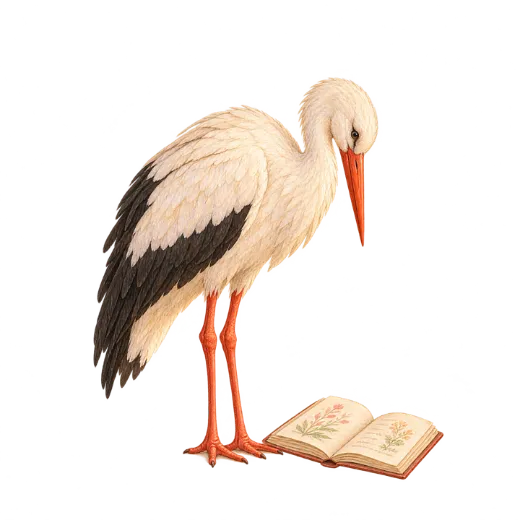
Who is Fennow?
Fennow is Little Pip's stork. With “Ask Fennow” you can write your questions about pregnancy, the time after birth, baby care and your own well-being; Fennow replies briefly and warmly. The replies are generated with Claude, the AI model developed by Anthropic.
How is a question answered?
- You write your question. Your message reaches our server over an encrypted connection (HTTPS). Our server runs in Frankfurt (Germany, EU) and checks your daily question allowance.
- Our server passes the question on to Claude. So that a reply can be generated, the message is sent to Anthropic's servers in the USA. Your name, email or account ID is not sent to Anthropic.
- The reply comes back to you. The chat is stored only on your phone; you can delete it whenever you like with “Delete chat”. We do not store the content of your questions and replies on our server; we only count how many questions you have asked that day.
What is sent, and what isn't?
Sent
- The message you write
- Earlier messages in this chat
- Your week of pregnancy or your baby's age
- Whether you are the mother or the father
Not sent
- Your name and email address
- Your notes and photos
- Your Apple Health data
- Your records (unless you give the separate permission below)
If you want: “Let Fennow see my records”
With a separate, optional permission, when your question is about symptoms, blood pressure or weight, only a short summary of your records on that topic is sent with your question: the names of the symptoms you marked in the last 14 days and on how many days you had them, at most 6 of your blood pressure readings from the last 14 days, and your latest weight and the change over the last 4 weeks. Which records were sent is shown under your question. Your notes, your Apple Health data, and your baby's and your partner's records are not sent; the summary is not stored on our server. You can turn the permission off at any time under Profile › Privacy.
If you want: “Let Fennow explain my documents”
With a separate, optional permission, you can have Fennow explain in plain words a lab result or report in your document vault, or the measurements of one of your ultrasounds. No photo is sent: your phone reads the text in the document, deletes lines such as your name, Turkish national ID number, protocol number, and hospital and doctor names, and shows you the full text that will be sent; you can remove any line you don't want to send. Fennow explains what each value measures and speaks only in terms of the reference range on the document; it does not diagnose and does not recommend treatment. Be sure to talk about your results with your doctor. The text is not stored on our server. You can turn the permission off at any time under Profile › Privacy.
Your messages are not used to train models
Under its commercial terms, Anthropic does not train its models on messages that reach it this way; it may keep messages for a limited time to prevent misuse. Your messages are not used for advertising and are not sold.
Message limits
So that everyone can use it comfortably, the number of messages you can send to Fennow is limited. With free use you get 3 questions a day; with Premium you can ask 50 questions a day (fair use). Your allowance resets every midnight (UTC+3); if you want more, you can switch to Premium. You can see your remaining allowance on the chat screen; if a reply can't be generated, that question is not deducted from your allowance.
To ask Fennow, you need to be signed in with an account, because question allowances are tied to your account.
Fennow does not diagnose and does not recommend treatments or medication doses; the information it gives is for general information only. Consult your doctor or midwife about anything concerning you or your baby. In situations such as bleeding, severe pain, fewer baby movements or your water breaking, call your doctor right away instead of asking Fennow. In an emergency, call your local emergency number (911 in the US, 999 in the UK).
How does the permission work?
When you first open Fennow, you see a separate permission screen that explains where your data goes. This permission is explicit consent under KVKK (Turkey's Personal Data Protection Law) and also covers the transfer of your messages abroad (USA).
- It is optional. “I agree” and “Not now” are two equal choices; neither is preselected.
- It is independent of other permissions. It is kept separate from the consents you gave for backup and partner sharing. Even if you don't give permission, the rest of the app works just the same; only Ask Fennow stays off.
- You can withdraw it at any time. Profile → Privacy → Ask Fennow access. From the moment you withdraw it, no messages are sent.
The legal details are in the Data Protection Notice and the Privacy Policy. If something goes wrong, write to support@littlepip.app.